
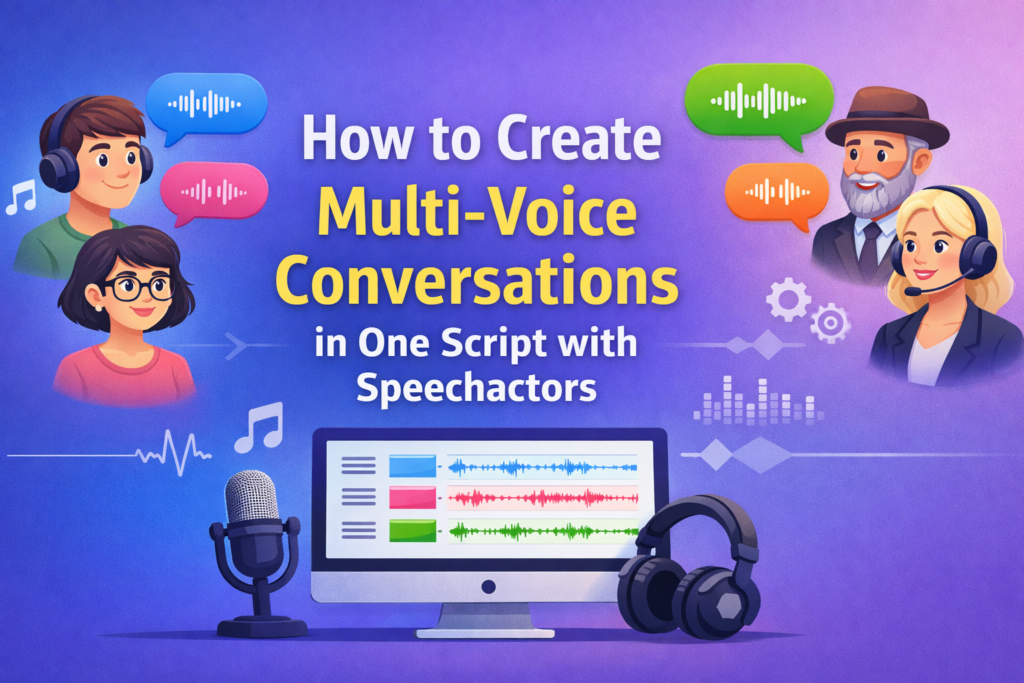
Multi-voice conversations allow creators to generate realistic dialogues using multiple AI voices in a single script for videos, podcasts, training content, and ads. Instead of generating separate audio files for each character and stitching them together in post-production, you can now streamline the entire workflow.
This approach saves hours of editing time and ensures a cohesive flow between speakers. whether you are producing an explainer video or an e-learning module, having a single script with distinct voices changes how you manage audio production.
What Are Multi Voice Conversations in AI Voiceovers?
Multi-voice conversations are scripted dialogues where different speakers are assigned distinct AI voices within one continuous script. In the past, text-to-speech technology was largely limited to a single narrator reading a block of text. If you wanted a conversation, you had to generate one voice, download it, change the settings, generate the second voice, and then combine them in a video editor. Modern tools like Speechactors have removed this friction.
The core concept relies on mapping specific text blocks to specific voice IDs (avatars) within the same project interface. This creates a virtual “cast” of characters that read their specific lines in sequence. It mimics a real-world recording session where actors stand in a booth and read from a shared script. This method preserves the natural rhythm of conversation, as the pause between speakers can be adjusted directly in the text editor rather than on a timeline.
Key Attributes:
- Multiple Speakers: The ability to handle two or more distinct characters in one session.
- Distinct Voice Identity: Each role has a specific tone, gender, or accent assigned permanently for that script.
- Single Unified Script: All dialogue resides in one document, allowing for easier editing and context checking.
Why Multi Voice Scripts Matter for Content Creation
Multi-voice scripts improve clarity, engagement, and realism if content requires interaction between characters. When a single voice reads a dialogue, the listener has to mentally work harder to distinguish who is speaking. This cognitive load reduces the ability to absorb the actual information. By using distinct voices, you offload that work, allowing the audience to focus purely on the message.
Furthermore, conversational audio breaks the monotony of monologues. A back-and-forth dynamic naturally creates rhythm and variation, which keeps the brain alert. This is particularly vital in educational content where attention spans are the primary bottleneck to success. The contrast between a deep male voice and a soft female voice, for example, creates an auditory “refresh” for the listener every time the speaker switches.
Evidence-Based Benefits:
- Stanford Communication Studies: Research indicates that dialogue-based learning significantly improves information retention compared to monologue formats. The social nature of conversation helps anchor facts in memory.
- University of Cambridge Media Research: Studies confirm that conversational audio increases listener engagement duration. People are wired to listen to social interactions, making them less likely to drop off mid-content.
Use Cases for Multi Voice Conversations
Multi-voice conversations are used across industries where simulated dialogue improves understanding. The applications go far beyond simple entertainment. Any scenario that benefits from a question-and-answer format or a role-play situation is a prime candidate for this technology.
For example, in corporate training, you often need to simulate a conflict resolution scenario between a manager and an employee. Using real actors is expensive and time-consuming. Using a single AI voice makes the scenario confusing. Multi-voice AI fills this gap perfectly, allowing for rapid iteration of training scenarios without the budget of a studio production. Similarly, in marketing, testimonials or “street interview” style ads require distinct voices to feel authentic.
Common Applications:
- Explainer Videos: Using a narrator and a “curious user” character to ask questions the audience might have.
- Product Demos: Simulating a support call or a use-case scenario.
- E-Learning Modules: Role-playing scenarios for soft skills, sales training, or language learning.
- Customer Support Simulations: Training bots or human agents by simulating angry or confused customer queries.
- Podcast Storytelling: Creating audio dramas or inserting guest voices without scheduling interviews.
- Marketing Ad Conversations: Snappy dialogue spots for radio or Spotify ads.
How Speechactors Handles Multi Voice Conversations
Speechactors allows users to assign different AI voices to individual speakers within a single script. The platform is built with a “Cast” concept in mind. Instead of just selecting a voice for the whole project, you select voices for specific paragraphs or lines. The engine then processes these sequentially, rendering a single audio file (or separate files if preferred) that flows naturally from one speaker to the next.
The interface typically handles this through a block-based or tag-based system. You define your actors first—let’s say “John” (American Male) and “Sarah” (British Female). When you write your script, you simply toggle which actor is speaking for that specific block. Speechactors handles the background processing to ensure that the transition between John’s deep American accent and Sarah’s British accent is smooth, without the jarring digital artifacts that sometimes occur when stitching disparate audio files together.
Platform Capabilities:
- Multiple Voice Selection: You can add various diverse voices to a single project canvas.
- Language and Accent Variation: One speaker can speak French while the other replies in English, perfect for language tutorials.
- Consistent Voice Mapping: Once “Speaker A” is defined, they stay consistent throughout the script.
- Script Level Control: You can edit the text and change the speaker assignment instantly without splitting files.
Step-by-Step Guide to Creating Multi Voice Conversations in Speechactors
Step 1: Define the speakers Before you type a single word of dialogue, you must identify each character or role and assign a unique speaker name. Go into the Speechactors dashboard and look for the voice selection tool. Decide who your characters are. Are they a teacher and student? A doctor and patient? Select voices that contrast well. If both voices sound too similar (e.g., two middle-aged American males), the listener might get confused. Give them distinct names in the tool so you can easily reference them later.
Step 2: Structure the script clearly Use speaker labels before each dialogue line for accurate voice mapping. When you are drafting your text, break it down into small chunks. Avoid writing a massive wall of text. In the Speechactors editor, this usually means creating separate text blocks for each switch in conversation. Visual separation helps you verify the flow.
Step 3: Select voices for each speaker Choose AI voices based on tone, gender, language, and emotion. Speechactors offers a library of voices. Listen to samples. Does the voice sound sarcastic? Authoritative? Cheerful? Match the voice “skin” to the intent of the character. If you are writing a serious medical script, avoid the overly enthusiastic marketing voices.
Step 4: Adjust pacing and pronunciation Control pauses, emphasis, and speech speed to maintain natural flow. Real conversations have gaps. People breathe. They pause to think. Use the pause tags or break settings in Speechactors to insert silence between speakers. A 0.5-second pause between a question and an answer makes a world of difference in realism. Also, check pronunciation for technical terms.
Step 5: Generate and review output Preview the full conversation and refine voice balance if required. Listen to the whole track. Does one voice sound much louder than the other? You may need to adjust the volume settings for a specific speaker to ensure they sound like they are in the same room. Once satisfied, export the audio.
Best Practices for Writing Multi Voice Scripts
Clear scripting improves output quality and reduces rework. Writing for the ear is different from writing for the eye. When you write a blog post, complex sentences are fine because the reader can re-read. In audio, the listener gets one chance. If your multi-voice script is convoluted, the best AI voices in the world won’t save it. You must write in a way that sounds like natural speech, not like a textbook being read aloud.
Furthermore, you must account for the lack of visual cues. In a video, you can see who is talking. In audio, the voice is the cue. This means you should avoid having characters interrupt each other constantly, as this is hard to manage with AI, and avoid having them speak for too long without a response, or the audience will forget the other character exists.
Writing Guidelines:
- Keep speaker names consistent: Don’t switch labels halfway through; it confuses the AI rendering.
- Use short sentences: These breathe better and sound more conversational.
- Avoid overlapping dialogue: AI tools generally process sequentially; simultaneous speech is difficult to engineer.
- Match tone with context: Ensure the script’s emotion matches the selected voice avatar’s capability.
Common Mistakes to Avoid
Mistakes reduce realism and listener comprehension. The most frequent error creators make is treating a multi-voice script like a standard narration. They write long, winding paragraphs and then arbitrarily chop them up between two voices. This sounds robotic and unnatural. Real conversation involves reaction, agreement, and short interjections, not just taking turns reading an essay.
Another major issue is neglecting the “sound” of the voices together. Some AI voices have higher fidelity or different sampling rates than others. If you mix a high-quality “Pro” voice with a lower-quality legacy voice, the difference will be jarring to the listener. It breaks the immersion immediately. Always test your selected voices together before committing to the full script.
Errors to Avoid:
- Changing speaker labels mid-script: This can cause the software to reset settings or glitch.
- Using similar sounding voices: If the audience can’t tell who is talking, the multi-voice format fails.
- Writing overly long monologues: Keep the back-and-forth dynamic active.
- Ignoring punctuation: Commas and periods dictate how the AI breathes; ignoring them leads to rushed delivery.
SEO and Content Optimization Tips
Multi-voice scripts perform better if structured for discoverability. If you are posting the transcript or the audio online, you need to think about how search engines view this content. Search engines love structure. A script format with clear headers (Speaker A, Speaker B) helps Google understand that the content is a dialogue or an interview, which can trigger different rich snippets in search results.
Additionally, the natural language used in dialogue often matches the voice search queries people use on Alexa or Siri. People type “How do I fix my sink,” and a conversational script that asks and answers that exact question is highly relevant.
Optimization Factors:
- Conversational Keywords: Include natural questions and long-tail phrases that people actually speak.
- Natural Dialogue Phrasing: Use contractions (e.g., “don’t” instead of “do not”) which improves readability scores.
- Clear Speaker Hierarchy: visually distinguish speakers in your transcript text on the page.
- Schema Friendly Formatting: Use FAQ schema markup if your dialogue answers questions.
Future of Multi Voice AI Conversations
AI-driven multi-voice systems are expanding into interactive media, virtual assistants, and immersive learning platforms. We are moving away from static MP3 files toward dynamic, real-time generation. In the near future, video games and VR training simulations will generate multi-voice conversations on the fly based on user actions, rather than playing back pre-recorded scripts.
This evolution will rely heavily on context awareness—where the AI understands how to say something based on what the previous speaker said, adjusting emotion automatically.
Research Insight:
- MIT Media Lab: Studies show conversational AI improves human-machine interaction accuracy and trust. When machines speak with the cadence and turn-taking of humans, users trust the information more and retain it longer.
People Also Ask
What is a multi voice conversation script?
A multi-voice conversation script is a single document that assigns different text-to-speech voices to multiple speakers. It is designed to simulate a real-world dialogue between two or more characters without needing separate recording sessions.
Can AI generate conversations with multiple speakers?
Yes, AI platforms like Speechactors can generate multi-speaker conversations. They do this by allowing users to map specific blocks of text to different voice avatars, processing them into a seamless audio track.
Why are multi voice scripts better than single voice narration?
Multi-voice scripts improve realism, clarity, and audience engagement. They reduce the cognitive load on the listener by using distinct vocal cues to separate ideas, making the content easier to follow and more enjoyable to listen to.
Conclusion
Multi-voice conversations in one script help creators deliver realistic, engaging, and scalable audio content using Speechactors. By leveraging distinct voice identities and a unified workflow, you can transform flat text into dynamic audio experiences. Whether for education, marketing, or entertainment, the ability to script and render multiple characters in a single pass is a game-changer for productivity and audience retention.