
The sheer volume of video content demanded by today’s digital landscape is staggering. From daily social media reels and corporate training modules to complex gaming assets, the pressure to produce high-quality video at speed has never been higher. Marketing teams are no longer making one commercial a year; they are making five videos a day. This explosion in output has created a massive bottleneck in post-production, specifically regarding voice-overs.
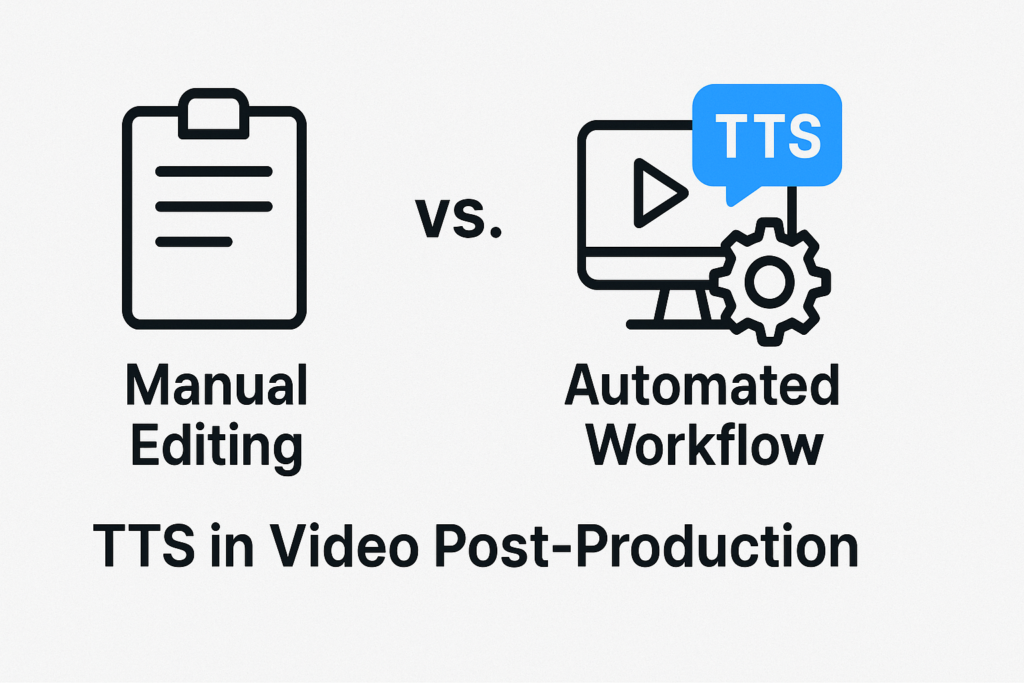
Traditionally, audio was the slowest part of the edit. You had to wait for talent, book studios, and edit endlessly. But this is changing. We are seeing a rapid shift where manual editing struggles to keep up with the pace of the internet, and automated workflows are stepping in to fill the gap. This article explores that transition and how tools like Speechactors are helping editors move from a bottlenecked process to a streamlined, automated future.
2. Manual Voice Editing in Post-Production: Process and Limitations
2.1 What Manual Editing Involves
Manual voice editing is a labor-intensive craft that goes far beyond simply hitting the “record” button. It starts with casting and scheduling talent, which can take days. Once in the booth, the recording phase involves multiple takes to get the right inflection. If a script changes halfway through—which happens constantly in agile marketing—the whole process resets.
Post-processing is equally heavy. An audio engineer or video editor must sift through gigabytes of raw audio files. They have to select the best takes, cut out breath noises, remove mouth clicks, and apply EQ and compression to make the voice sound professional. They also have to manually sync this audio to the video timeline.
If the voiceover is two seconds too long for the scene, the editor has to use time-stretching tools or cut the video to match the audio. It is a rigid, linear process where every small change creates a ripple effect of extra work hours.
2.2 Key Strengths of Manual Editing
Despite the heavy workload, manual editing persists for a reason: humanity. A skilled human voice actor brings distinct emotion, subtle pauses, and breath work that can carry a heavy narrative. For high-stakes productions, such as a Super Bowl commercial or a feature-length documentary, this level of nuance is non-negotiable.
Directors can give live feedback, asking for a line to be read “warmer” or “with a hint of sarcasm,” and a human actor can pivot instantly based on that direction. It offers a bespoke performance that fits the exact emotional contour of a scene.
2.3 Limitations Supported by Industry Evidence
However, the industry is hitting a wall with manual workflows. The primary limitation is cost versus scalability. Studio time, engineer hourly rates, and talent fees add up quickly. More importantly, consistency is a nightmare. If you record a training video today and need to add a paragraph next month, it is almost impossible to get the exact same microphone placement, room tone, and voice texture.
This leads to jarring audio edits that ruin viewer immersion. Research in e-learning and localized content production shows that manual workflows reduce efficiency by significant margins when iterative updates are required. You simply cannot scale a human voice across fifty languages instantly.
3. Automated Workflow with TTS: How AI Enhances Post-Production
3.1 What Automated TTS Workflow Includes
An automated Text-to-Speech (TTS) workflow fundamentally changes the order of operations in post-production. Instead of recording audio and then editing the video to match it, the audio becomes a flexible data point. You input your script into the dashboard, select a voice profile, and generate studio-quality audio instantly.
Modern tools allow for granular control over pacing, pauses, and pitch without a single re-record. If a sentence feels too rushed, you adjust a slider or add a break tag, and the audio regenerates in seconds. This allows for direct integration into the editing timeline. Editors can use placeholder AI audio to cut the video rhythm precisely, and then swap in the high-quality render at the very end. It turns voiceover into a non-destructive, pliable asset similar to a text layer in Photoshop.
3.2 Evidence-Based Advantages of TTS Automation
The advantages here are measurable in time and dollars. The most obvious gain is the speed of revisions. In a manual workflow, a script change is a catastrophe that delays the project by days. In an automated workflow, it is a five-minute fix. You correct the text, regenerate, and export. This speed reduces the cost per minute of video produced drastically.
Furthermore, automated workflows solve the consistency problem. The voice you use for Chapter 1 of a training series in January will sound exactly the same as Chapter 10 in December. There is zero drift in tone or audio quality. This is crucial for brands building a sonic identity. Industry studies on content pipelines confirm that automation allows teams to produce multilingual versions of content simultaneously, rather than sequentially, effectively doubling or tripling output capacity without increasing headcount.
3.3 Common Use Cases in Video Production
This workflow is becoming the standard for specific video categories. Training videos and e-learning rely on it because course material updates frequently. Product demos use TTS to clearly explain features without distraction.
Explainer videos benefit from the clarity and speed of AI voices. In gaming, developers use TTS for prototyping thousands of lines of dialogue before hiring final actors, and increasingly for NPC voices in the final game. Finally, social media micro-content lives and dies by speed; creators use TTS to hop on trends instantly, where waiting for a voice actor would mean missing the viral window entirely.
4. Direct Comparison: Manual Editing vs Automated TTS Workflow
4.1 Speed Comparison
When comparing speed, the two methods are in different leagues. Manual editing operates on a timeline of days or weeks. You have the casting phase, the scheduling phase, the recording session, the file transfer, and the cleaning edit. If a client changes the script, you go back to step one. Automated TTS operates on a timeline of minutes.
You paste the script, you listen, you tweak, and you download. The entire audio track for a 10-minute video can be generated and finalized before a human actor has even set up their microphone stand.
4.2 Cost Comparison
Manual editing is expensive. You are paying for human time at every step: the talent, the recording engineer, and the video editor who has to clean the tracks. There are also facility costs if you are renting a studio. Automated workflows usually operate on a subscription or usage-based model. For a flat monthly fee, a brand can generate hours of voiceover. The cost predictability of TTS is a major advantage for businesses with strict budgets, whereas manual production costs can balloon with every round of revisions.
4.3 Consistency and Quality
Manual audio is prone to environmental variables. Background noise, microphone differences, and the actor’s physical health (like a stuffy nose) can alter the sound. Automated TTS provides mathematical consistency. The audio is generated in a perfect digital environment every time. While manual editing aims for an artistic peak, automated editing aims for a baseline of perfect clarity and uniformity across hundreds of files, which is often more valuable for corporate and educational content.
4.4 Flexibility and Revision Cycles
This is where automation wins hands down. In a manual workflow, the audio is “baked in.” Changing it requires significant effort. In an automated workflow, the audio is “live.” You can change the gender of the voice, the speed of delivery, or the script itself right up until the final render. This flexibility allows video teams to work in an agile manner, making improvements to the content continuously without worrying about the logistical nightmare of re-recording.
4.5 Localization Capability
If you need your video to reach a global audience, manual editing requires hiring, vetting, and directing actors for every single language. It is a logistical mountain. Automated TTS platforms come with diverse voice libraries. You can translate your script and generate a Spanish, French, or Japanese version of your video in the same afternoon. The barrier to entry for global distribution is effectively removed, allowing even small teams to have a worldwide reach.
5. Where Manual Editing Still Matters
It is important to be realistic. Automation is powerful, but it hasn’t killed manual editing. High-emotion scenes in films, video games, or premium storytelling require the human soul. A computer cannot yet fully replicate the crack in a voice when a character is crying, or the specific comedic timing of a stand-up comedian.
Brand campaigns that rely on a celebrity identity also require manual work. If you hire a famous actor to narrate your commercial, you are buying their persona, not just their voice clarity. For long-form films where the tone shifts radically from scene to scene, a human director working with a human actor is still the gold standard. Manual editing is shifting from being the “default” way to being a “premium” choice reserved for specific artistic moments.
6. Why Automated TTS Is Becoming the Preferred Workflow for Digital Teams
Data from across the marketing, education, and SaaS sectors indicates a massive migration toward automation. The driver is not just cost; it is the need for scale. Digital teams are required to personalize content for different user segments. They need to run A/B tests where one video uses “Purchase Now” and another uses “Buy Today.”
Doing this manually is impossible. You cannot call an actor back into the booth to record one word for a test. With TTS, you can generate fifty variations of an ad in an hour. This ability to version content in real-time allows marketing teams to be data-driven. They can optimize their videos based on performance metrics, updating the voiceover as easily as they update a website headline. This scalability is why automated workflows are becoming the engine room of modern digital content.
7. How Speechactors Optimizes Automated Post-Production
7.1 Key Features
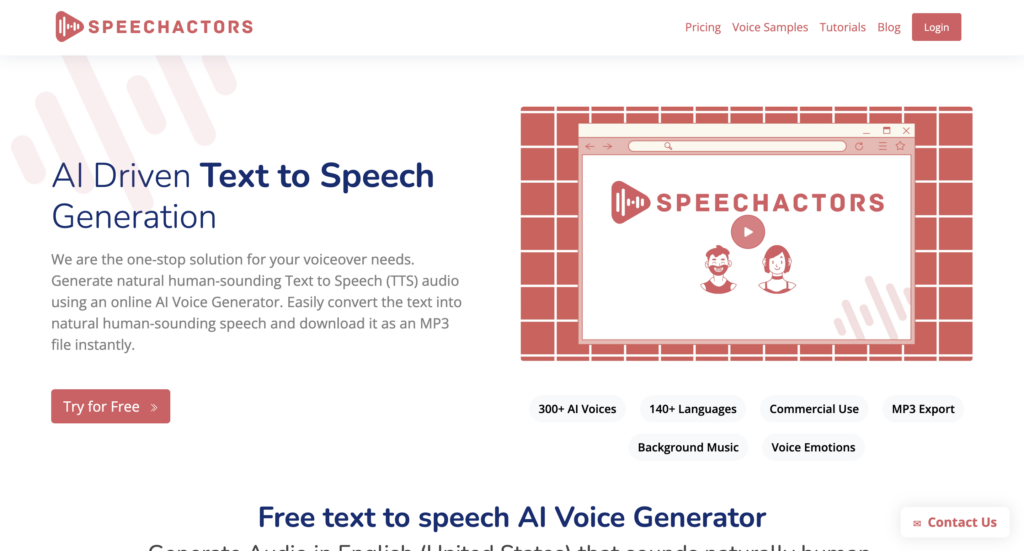
Speechactors stands out in this space by focusing on the specific needs of video editors. It offers natural-sounding AI voices that escape the “robotic” trap. The platform includes emotion and tone presets, allowing you to switch a voice from “Newscaster” to “Cheerful” or “Whispering” with a single click. Their library is vast, covering multiple languages and accents, which ensures you can find a voice that fits your brand identity perfectly. It is built to sound human, not synthetic.
7.2 Workflow Integration Examples
The tool is designed to slide into existing pipelines. You can organize projects by scripts, making it easy to manage a series of videos. The export options are optimized for editing software like Adobe Premiere Pro, DaVinci Resolve, or Final Cut. You get clean, high-quality audio files that don’t need noise reduction or EQ. It integrates with content management systems by providing a fast way to update audio assets without redownloading massive video files.
7.3 Benefits of Choosing Speechactors
The primary benefit of using Speechactors is clarity and efficiency. You get high-fidelity voiceovers without the hiss or pop of bad home recordings. It removes the dependency on third parties. Your editor becomes the producer, the director, and the voice artist all in one. For large content teams, this is a game changer. It streamlines the approval process stakeholders can read the script and hear the preview instantly and eliminates the “waiting mode” that kills creative momentum.
PAA (People Also Ask) Section
What is the main difference between manual editing and automated TTS?
Manual editing relies on human voice recording, which requires scheduling and physical recording sessions. Automated TTS uses AI to generate consistent audio instantly from text, eliminating the need for microphones or actors.
Is automated TTS suitable for professional video production?
Yes, automated TTS supports professional workflows. It is widely used in corporate training, marketing, and product videos where projects require fast versioning, strict audio consistency, or rapid multilingual delivery.
Does TTS reduce post-production time?
TTS significantly reduces editing time because it eliminates the recording phase, removes the need for audio cleaning (like noise reduction), and enables instant script updates without re-recording sessions.
Can TTS maintain natural human expression?
Modern advanced TTS engines, like Speechactors, offer emotion controls and tone presets. While they are highly realistic for most content, manual actors are still preferred for complex, high-drama emotional delivery in films.
Conclusion
The future of video post-production isn’t about robots replacing humans entirely; it is about a smart, hybrid approach. Manual editing will remain the choice for high-art, emotional storytelling where the human connection is paramount. However, for the daily grind of information sharing, marketing, and education, automated TTS is taking over.
TTS serves as the core engine for scalable, fast, and cost-efficient video creation. It frees up human creativity by handling the repetitive tasks of voiceover production. Tools like Speechactors are leading this charge, providing a reliable, high-quality solution that allows creators to focus on the message, not the logistics. By adopting these automated workflows, video teams can produce more, stress less, and keep up with the insatiable demand for content.